Alternative Formats
- CANVAS offers a built-in Alternative Format feature which allows you to transform course content into a variety of formats depending on your needs. For example, you can:
- Convert a scanned PDF to searchable OCRed content.
- Convert a Word document to an audio file.
- Convert a PowerPoint presentation to an ePub document.
- Relieve eye strain using the BeeLine Reader or Immersive Reader.
- Translate content to another language.
- Look for the Alternative Formats icon next to the title of most content in CANVAS. Note: it is possible for an instructor to disable Alternative Format on their course content.
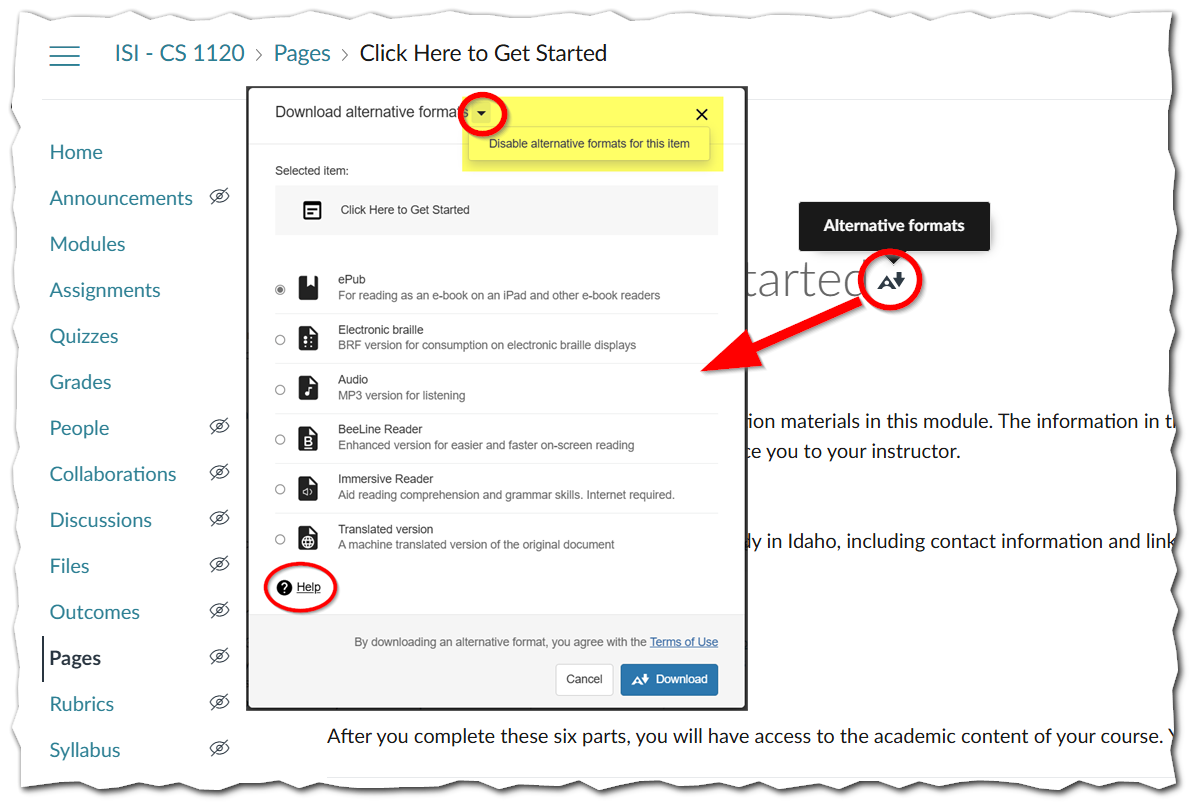 Ally's Alternative Format feature with Ally action icon and Help link highlighted. Format options include ePUB, Electronic Braille, Audio, BeeLine Reader, Immersive Reader, Translations, and more.
LEARN MORE: Ally Alternative Formats
LEARN MORE: CANVAS Accessibility Standards