NOTE: Each course may have a different deadline for when course drops are allowed. If you don't see an option for dropping your course, check with the instructor.
- LOGIN
To request a drop, login to https://keeplearning.uidaho.edu by clicking Login then Student Login.
If you need help logging in, please see our login help.

- DROP COURSE
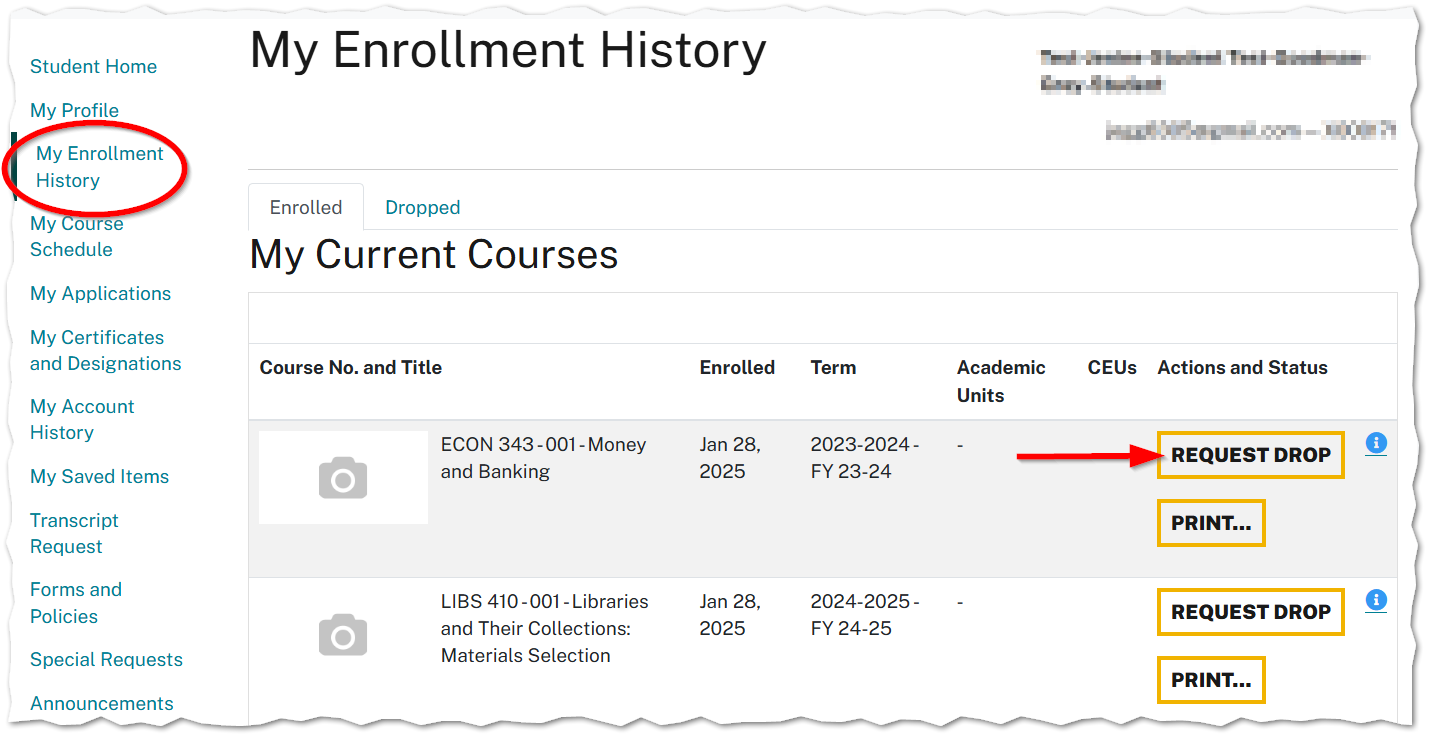
Once you have logged in, click on My Enrollment History, find the course that you want to drop. If requesting a drop is available, you will see a Request Drop button.
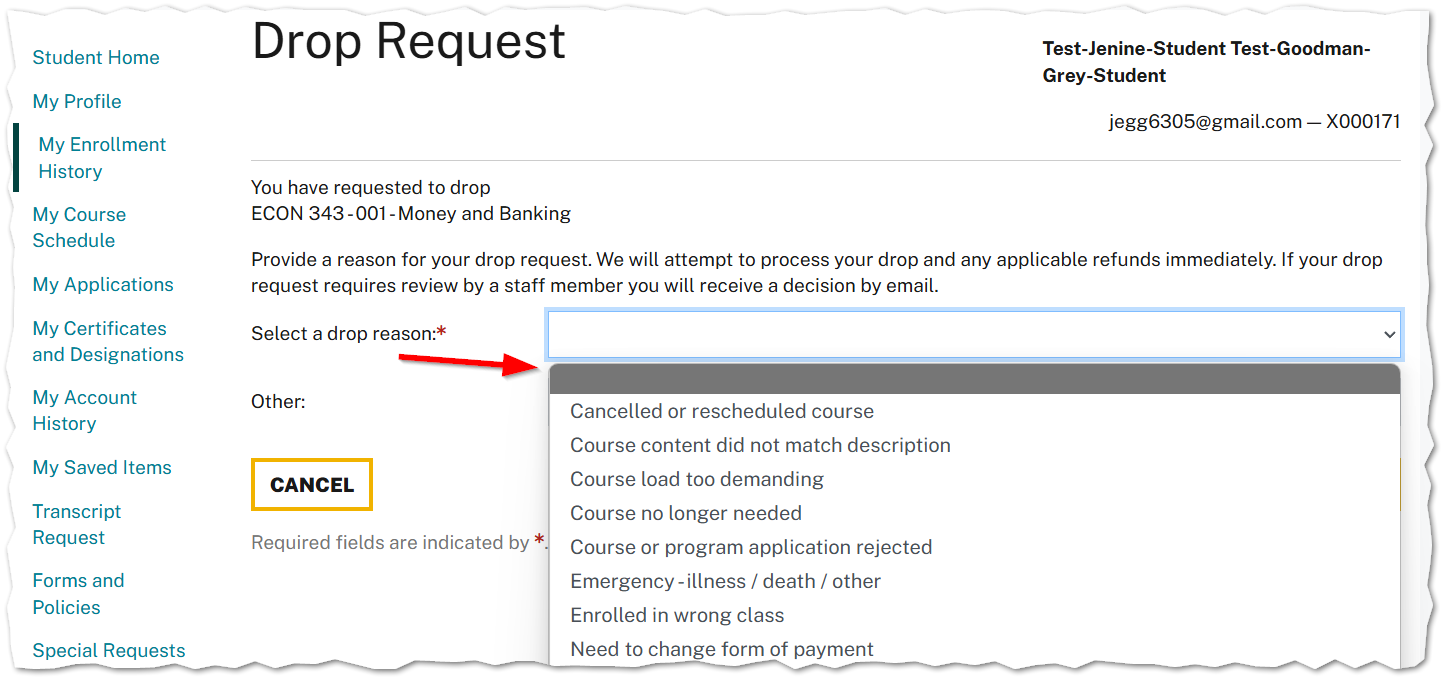
Select a Drop Reason and then press Submit.
- View Course Refund
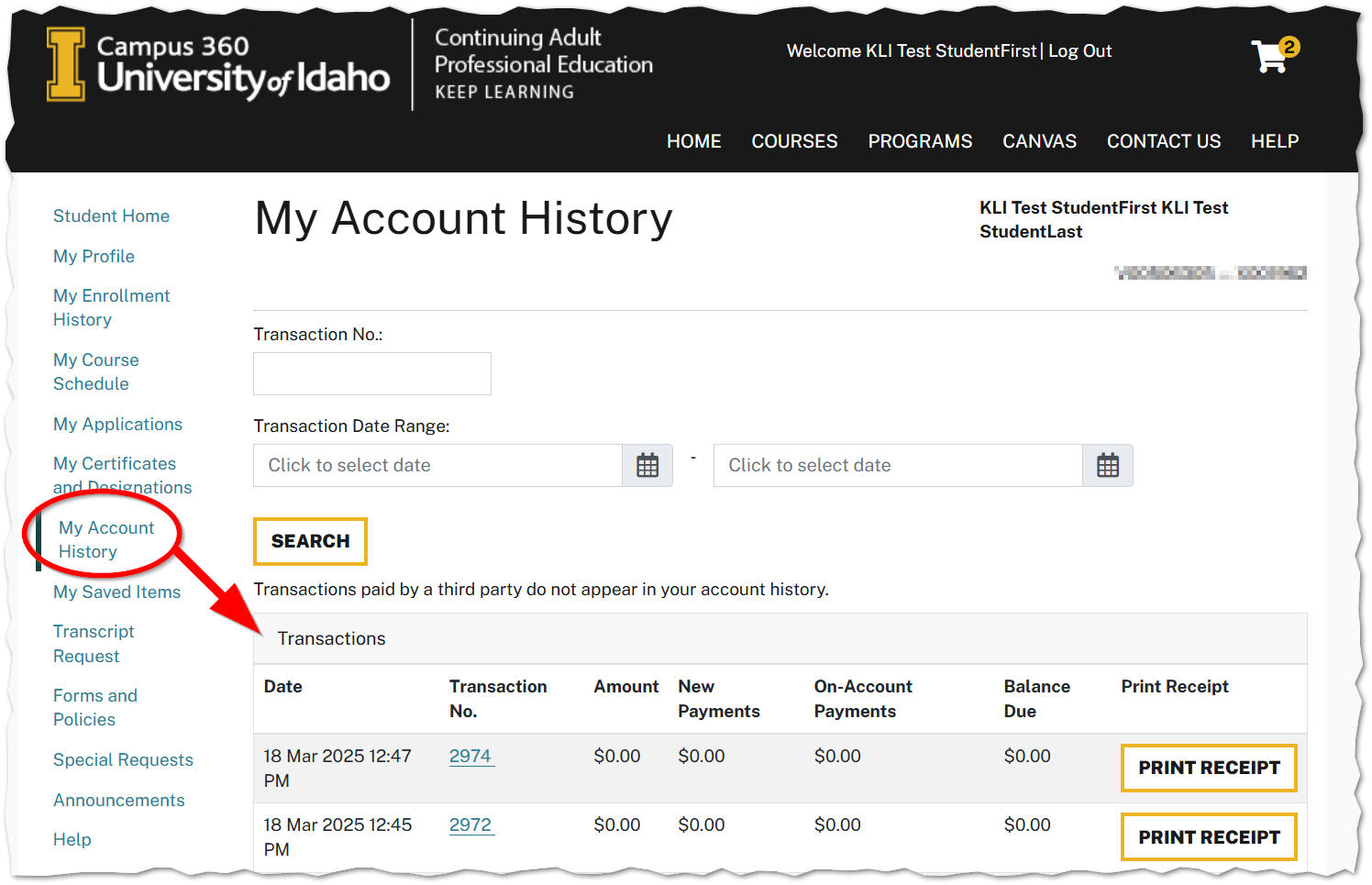
In the Student profile menu click on My Account History. Refund transactions will be listed once they have been processed. Applicable refunds will be sent to the payment method used to purchase the course.
ATTENTION: Some courses allow for automatic refunds, and others (such as Independent Study in Idaho courses) require approval by staff and won't appears in your account history until later. If you don't immediately see your refund status, and you're dropping an ISI course, you can assume ISI will contact you ASAP about your request. For any other questions submit a support request (linked below).
Note: You should receive an email outlining any decision, as well as any refunds.