STEP 1) Select your course
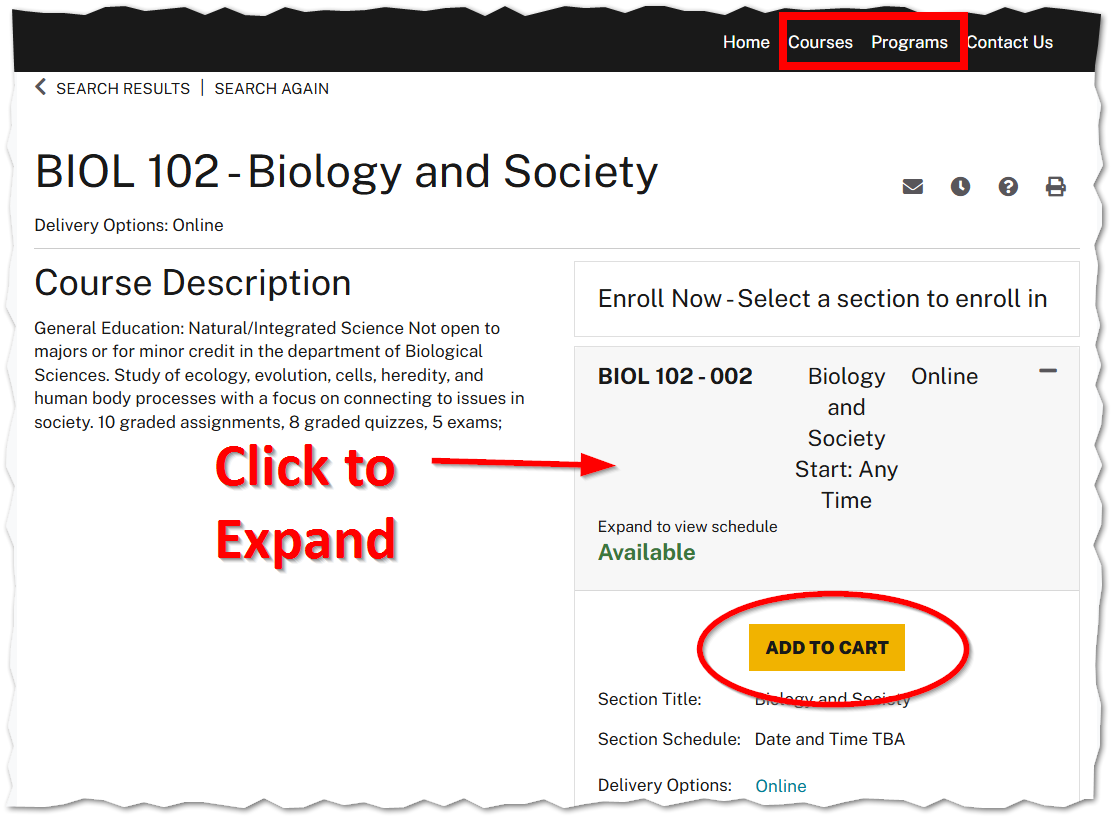
- Find a course using the Course Search or Course Program Lists found in the top menu.
- Enter a course number, any part of the course title (e.g., your school name), or a keyword. You may also select Advanced Search Options and enter your criteria.
- After selecting a course, an option will display on the right with available course sections.
- Check the section title and date.
- Click a section and then click the Add to Cart button.
STEP 2) Pay for the course
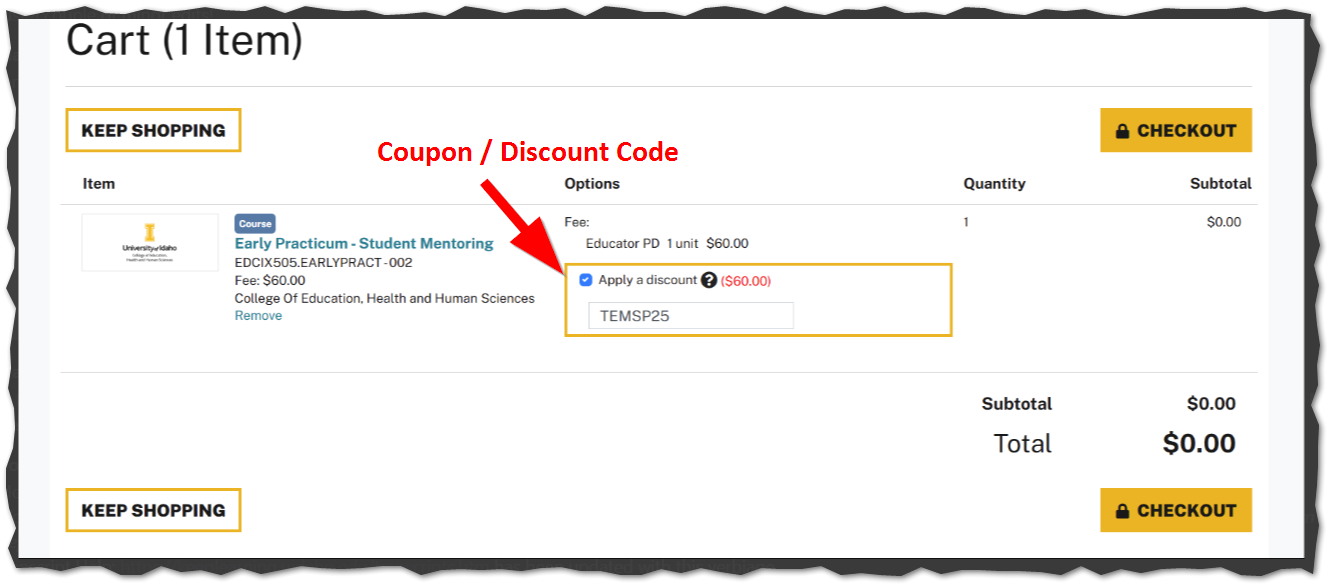
- If you have a Discount or Coupon Code, enter on the Cart screen.
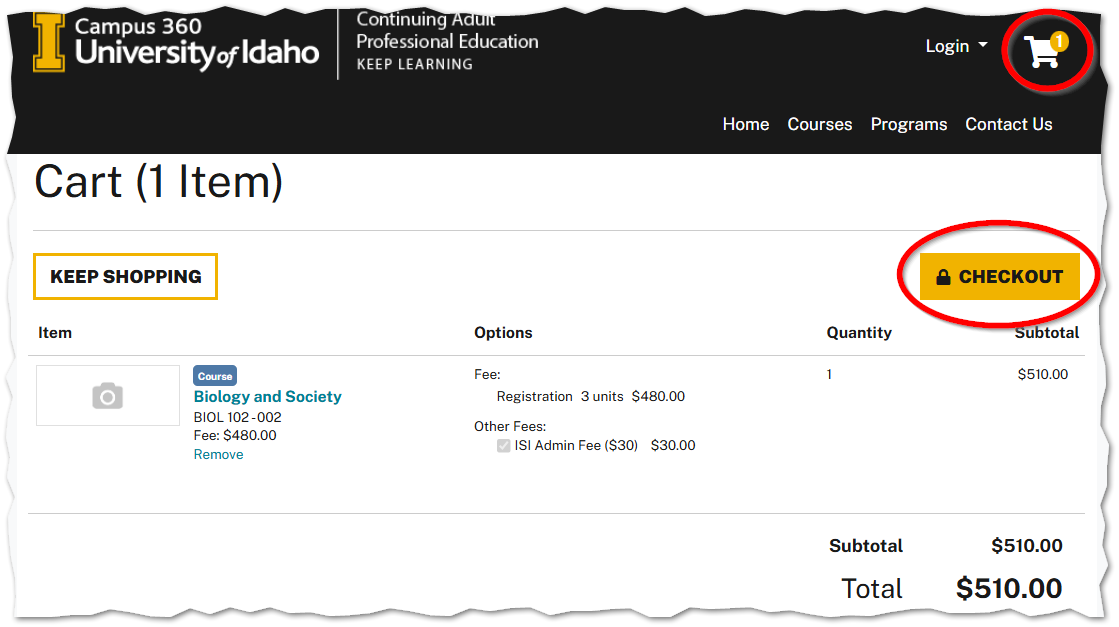
- After adding a course to your cart, select Checkout
- After clicking Checkout, you will be asked to authenticate.
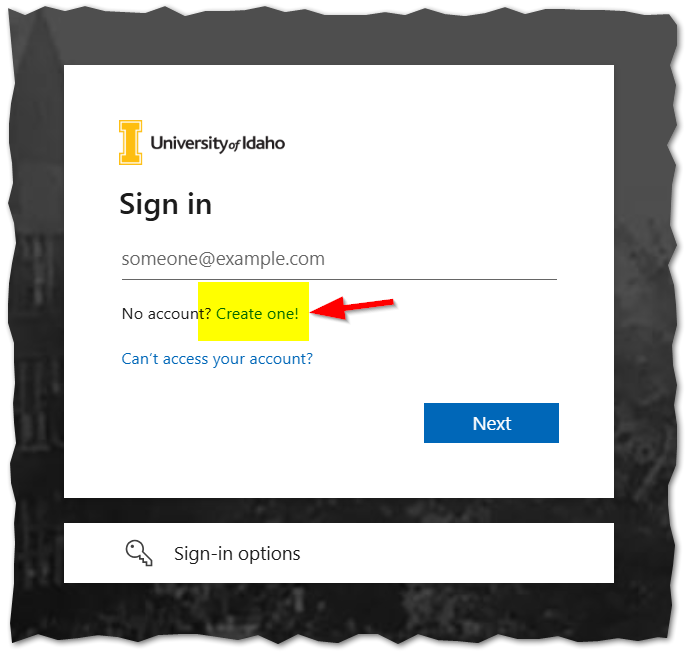
- If this is your first time registering for a Keep Learning Idaho course, create an account by:
- Clicking on Create one! under the Sign-in Field.
- Choose your email account type.
- When using an email, you will be prompted to enter in the email you wish to register, then click Next.
- Retreive the code sent to your email and enter it.
- You will then be prompted to enter your First and Last Name, then click continue
- You must accept to the University of Idaho Terms of Use
- If you have taken a course on the Keep Learning system in the past, login with the same email account.
- Confirm your contact information and scroll down to accept the Payment Policy
- Click Continue and Checkout
- Enter your Credit Card information and select Pay Now
STEP 3) Login to your course
- After paying for your course, you should receive an email confirmation and receipt.
- If your course uses CANVAS Login here https://keeplearninguidaho.instructure.com/
- ATTENTION: There may be as much 1.5 hours before you will see the course in your Canvas dashboard.